 Photo: Sylla, Pixabay
DB Navigator
The Deutsche Bahn Free App
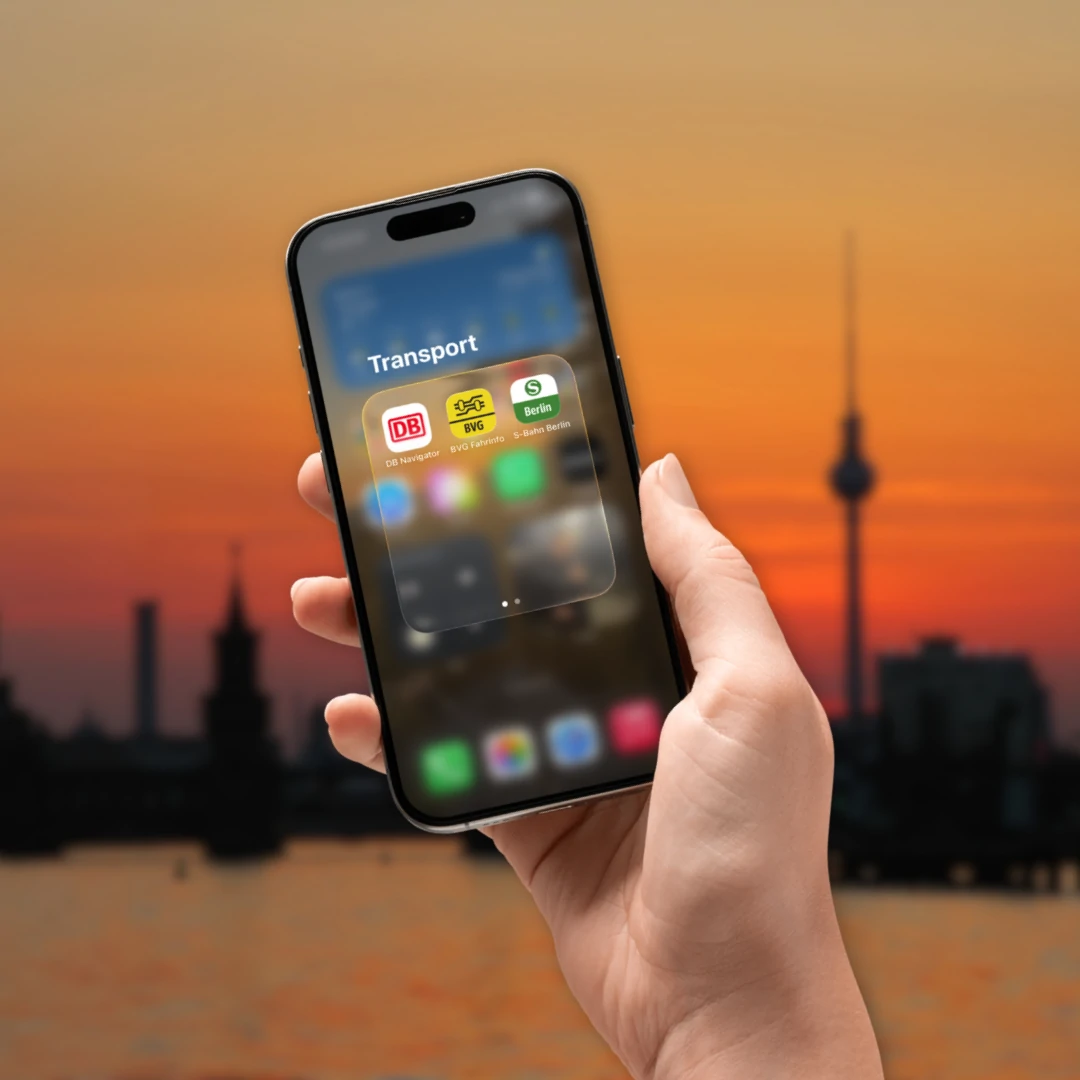
If you’re traveling by bus or train through Germany or cities like Berlin, Munich, and Vienna, you’ll find it hard to do without the DB Navigator. Deutsche Bahn’s free app has long been more than just a schedule: It helps you find connections, manage tickets, and stay informed about delays or platform changes during your trip.
But especially for visitors from Germany and abroad, it’s not always immediately clear what features the DB Navigator offers and how to use tickets—such as our EasyCityPass Berlin—within the app. In this article, we’ll walk you through, step by step, what the DB Navigator can do, how to get the most out of it for your trip, and what tips will make your stay even more relaxing.
- What is DB Navigator?
- What tourist tickets for Berlin are available on DB Navigator?
- How do I find the EasyCityPass Berlin in DB Navigator?
- What other tourist tickets can I buy through DB Navigator?
- Important Questions About the DB Navigator
1. What is DB Navigator?
DB Navigator is Deutsche Bahn's official, free travel app for smartphones. It serves as a digital companion for local and long-distance public transportation, allowing you to search for connections, buy tickets, and access real-time information. You can download the app directly from the App Store or the Google Play Store.
2. What tourist tickets for Berlin are available on DB Navigator?
 Photo: Maie Escorial, Pexels
In the DB Navigator app, you can book selected regional and tourist tickets, such as our EasyCityPass Berlin or the QueerCityPass Berlin, directly. Of course, tickets from our competitors (such as the BerlinWelcomeCard or the Berlin CityTourCard) are also available, but we won’t go into detail about them here.
3. How do I find the EasyCityPass Berlin in DB Navigator?
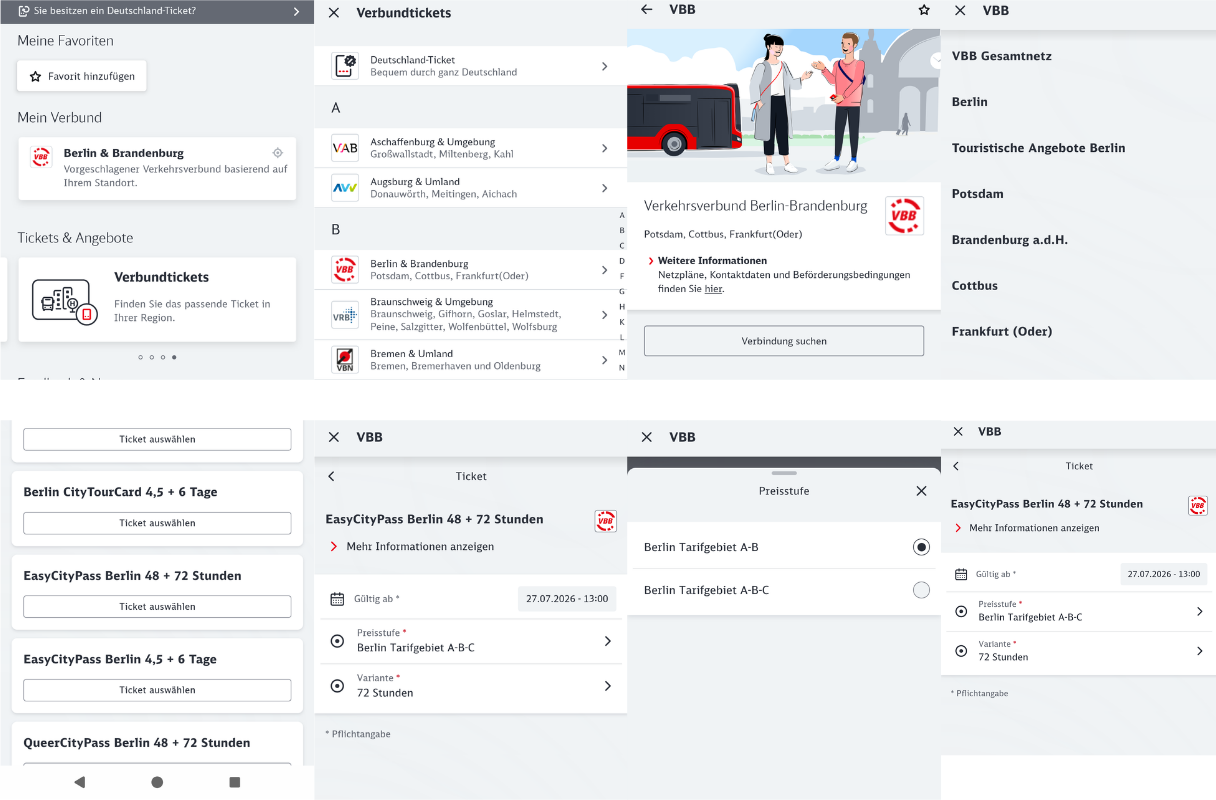 Photo: DB Navigator
You can find the EasyCityPass Berlin in the DB Navigator app by selecting the “Book,” “Tickets,” and ‘Offers’ menu items, then swiping to the “Network Tickets” section. Does that sound complicated? It’s almost not ;-)
Here’s a step-by-step guide again:
- Open the DB Navigator app on your phone
- Tap the “Book” tab at the bottom
- Select the “Tickets and Offers” category
- Swipe left to the “Transport Network Tickets” section and tap it
- Select the “VBB Berlin & Brandenburg” network
- Tap the “Go to Ticket Selection” button
- Select the “Berlin Tourist Offers” row
- Here you’ll find the offers for the EasyCityPass Berlin & QueerCityPass Berlin
Once you've decided on a specific ticket, all you have to do is set the time and date when you want the ticket to become valid. Then you complete the purchase process and can use the ticket for your stay in Berlin.
4. What other tourist tickets can I buy through DB Navigator?
 Photo: Chuck Henjes, Pexels
Are you planning a trip to Munich soon? If so, you'll find the “MVV Munich & Surrounding Area” transit network under ‘M’ in the “Transit Network Tickets” section. That's where you'll find our sister ticket, the CityTourCard Munich.
5. Important Questions About the DB Navigator
 Photo: Dean Moriarty, Pixabay
How do you pay on DB Navigator?
In the DB Navigator app, you can pay digitally by selecting one of the available payment methods at checkout or at the end of the booking process: PayPal, credit card, SEPA direct debit, or Apple Pay.
Is a screenshot of a ticket sufficient?
No, a screenshot of your purchased ticket is generally not valid. If you’re checked, this will be considered traveling without a valid ticket, since screenshots can easily be altered or shared.
It’s better to present your ticket as follows:
- As an original ticket in the app: Show the QR code directly in the app (e.g., DB Navigator). For many tickets, you must move the screen or reveal a hologram to confirm authenticity.
- As a PDF: For online tickets, the complete PDF document from the confirmation email is valid either on your smartphone or as a printed copy.
What happens if my cell phone runs out of battery during a ticket inspection?
If your cell phone battery is dead during a ticket inspection, your ticket is considered not to have been presented, which results in a fare surcharge (often referred to as an “increased fare” or a fare evasion fine). Your personal information must then be recorded on the spot so that the fine can be paid later.
Would you rather buy an EasyCityPass Berlin right now? Then click on the link, and you'll be redirected to our online store. There, you can easily buy your ticket for Berlin's public transit system!